
Using Canvas Sections
Corjl allows you to divide the Canvas for a design into Sections. Each Section will have its own set of Layers that can only be viewed when that particular Section is selected. Images and text can not overlap from one Section into another.
Multiple artboards are especially useful if you’re creating folding designs such as programs, place cards, brochures, books, or other similar designs.
📐 How to Add Sections to a Design
You can add Sections to your design during the design creation process using the steps below:
- Click on the +Create Design button
- Add in the Name, Width, and Height
-
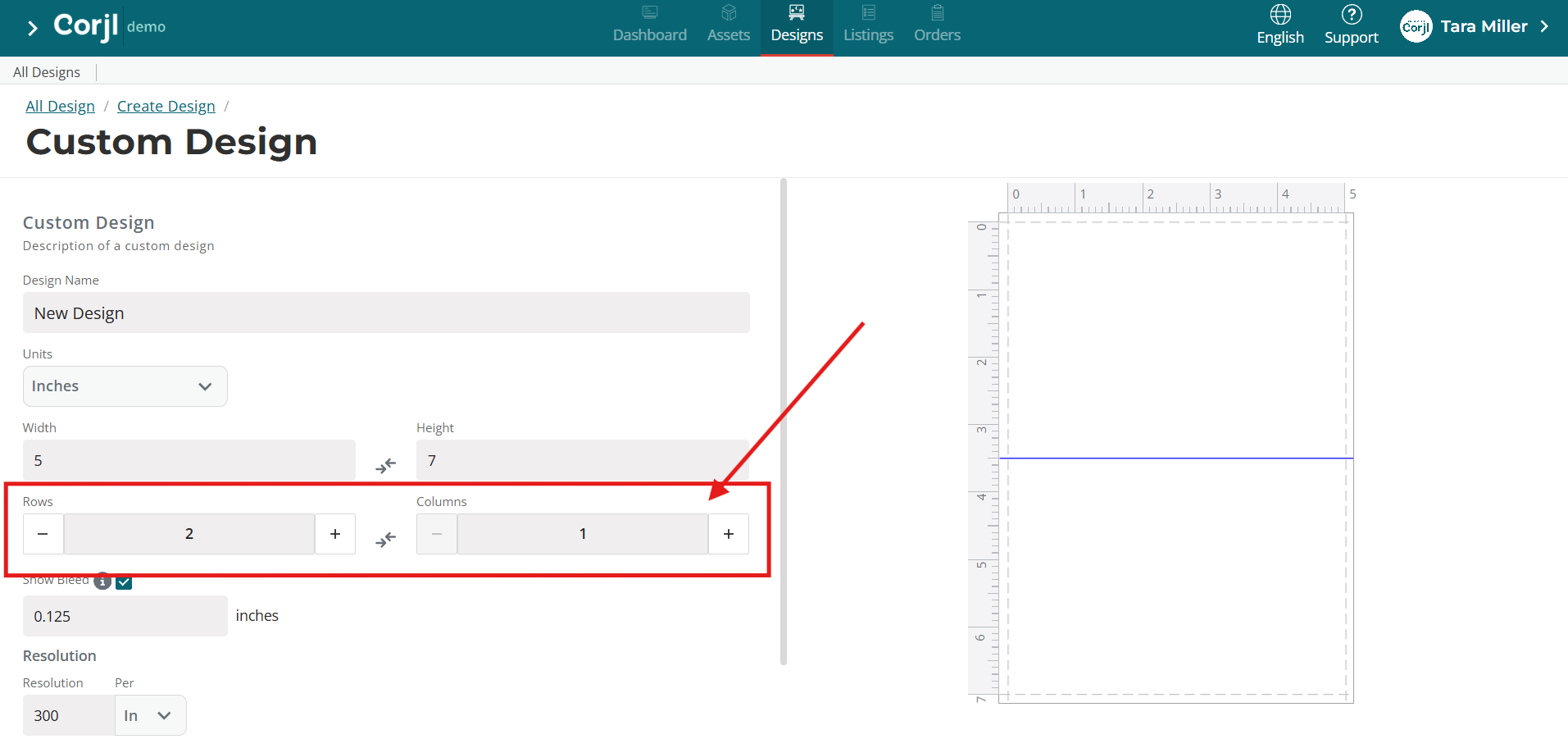
Directly below the Width and Height you will see the Rows and Columns input fields.
-
Click the "plus" button (+) to add the desired number of Rows and/or Columns to match your desired design. For example, add 2 Rows for a horizontal folding card, or 2 Columns for a vertical folding card.
You are able to add up to 5 Rows and 5 Columns to your Canvas.
Please Note: If you don't see the "Rows & Columns" options, you can enable this feature your Account Settings. Top RH Corner > Preferences > Design Defaults