
Approve Proof Feature
Corjl is the only design platform that allows customers to edit—and then approve—designs for fulfillment by you as a Seller.
📈 Benefits of the Approve Proof Feature
- Print the finalized version of the design with confidence - No further edits can be made once the design has been approved by the customer.
- Immediate notification - As soon as the customer has approved the design for printing, you will be notified in an email by Corjl. No customer messaging needed! The download links will be provided in this notification email.
- Maximize print sale opportunities - You will have twice the opportunity to make more money with print by offering both the digital download option and printed and shipped option in the same listing: once with a design set to Approve Proof, and the other with a Corjl Prints order from a Digital Download. See this article here for more on how to set that up.
⚙️ How It Works
To turn on the Approve Proof feature for a design in a Corjl Listing, use the following steps:
- Go the Designs tab of the Corjl Listing for the design.
- Click on the arrow/caret next to the design name to view the Export Options for the design.
-
Under Download Options, select Designer downloads design. This will show your customer an Approve Proof button instead of a Download button after they are done making edits.
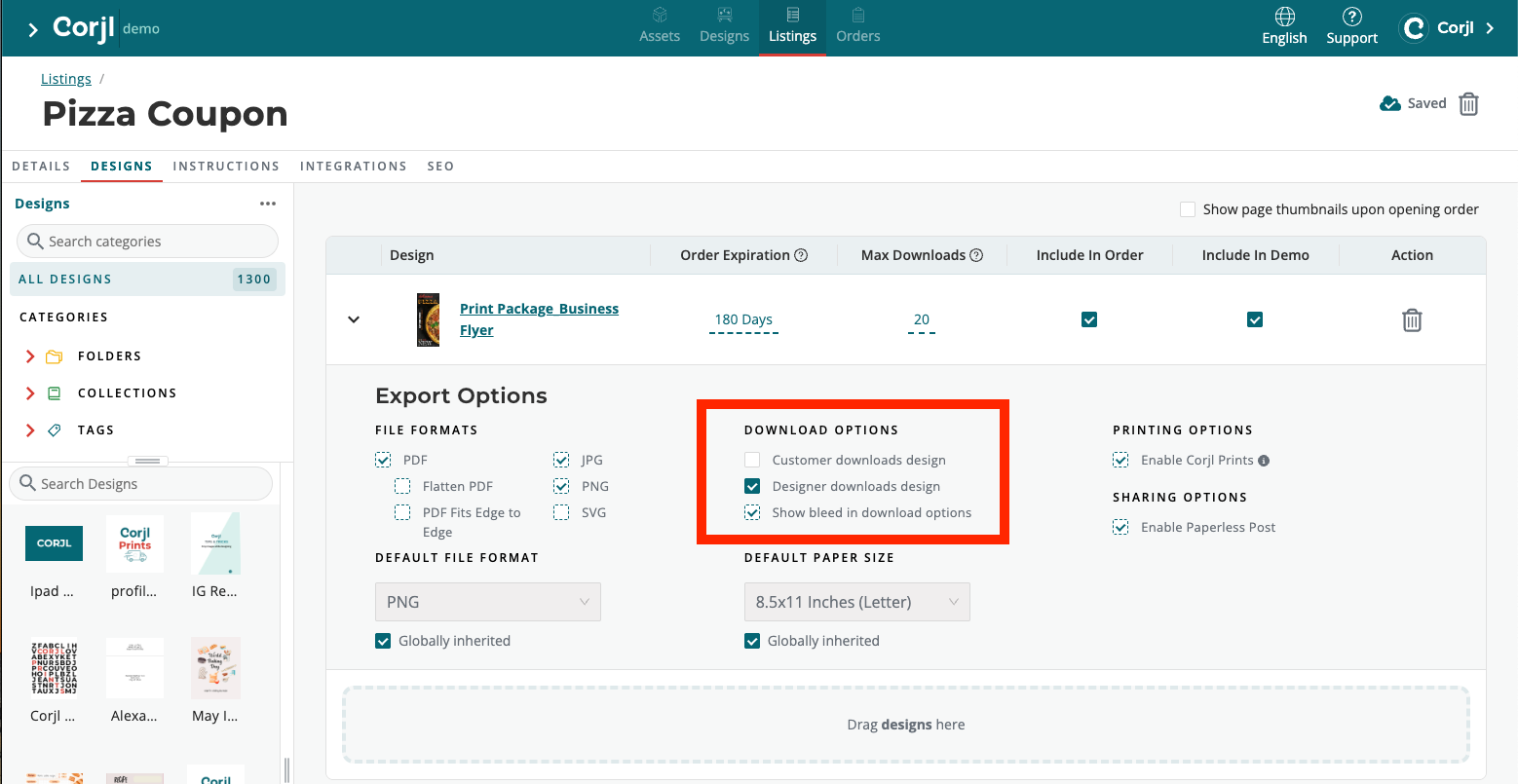
-
After your customer clicks on the Approve Proof button, you will receive an email from Corjl notifying you that the design is ready to print! The email will have links to either go directly to your customer's order for review, or to immediately download the print files.
If you are using Corjl Prints to print the design for your customer, go to the Designer View in the order and use the ORDER PRINTS button to place their print order.
