
How to Sell Both Digital and Printed Options in a Listing

With Corjl, you can sell both the Digital Template and also Printed copies of a design in the same Etsy listing! This is a great way to meet multiple customers in the same listing and also increase the likelihood of a printed sale upgrade.
Selling digital templates as an option in a physical product listing is completely acceptable with Etsy's terms as long as the listing also includes options to be printed and shipped.
Follow the steps below to set up your Etsy listings for this option:
1. Create Your Etsy Listing as a Physical Product
Corjl allows you to have both the Digital Template option and Printed card options in the same listing as a Physical Product. You can create a new listing from scratch, or you can convert an existing Digital Download listing to be a Physical Product as well.
2. Build Your Variation Options in the Etsy Listing
Set up your Etsy listing with at least one set of Variation options: the first option will be for the Digital Template and the other options will for the Printed Design quantities that you prefer.
You may also add an additional set of Variations if wanted (for example, Paper Type selections).
💡Pro Tip: You can use a Listing Management tool like Vela to create listing profiles to more quickly add Variations to your Etsy listings.
See this article here for a complete step-by-step guide on setting up your Etsy listings as physical products.
3. Create Your Matching Corjl Listing and Connect to Your Etsy Listing
Create your listing in Corjl for the Etsy listing with the design(s) you want to sell and paste in the matching Etsy listing ID. You should now see the Variations tab in the Listing options.
If you are converting an existing Digital Etsy listing to Physical, then you can leave the same Etsy Listing ID as it is in the Corjl listing. The Variations tab should show up automatically.
4. Assign the Correct Variation Options in the Corjl Listing
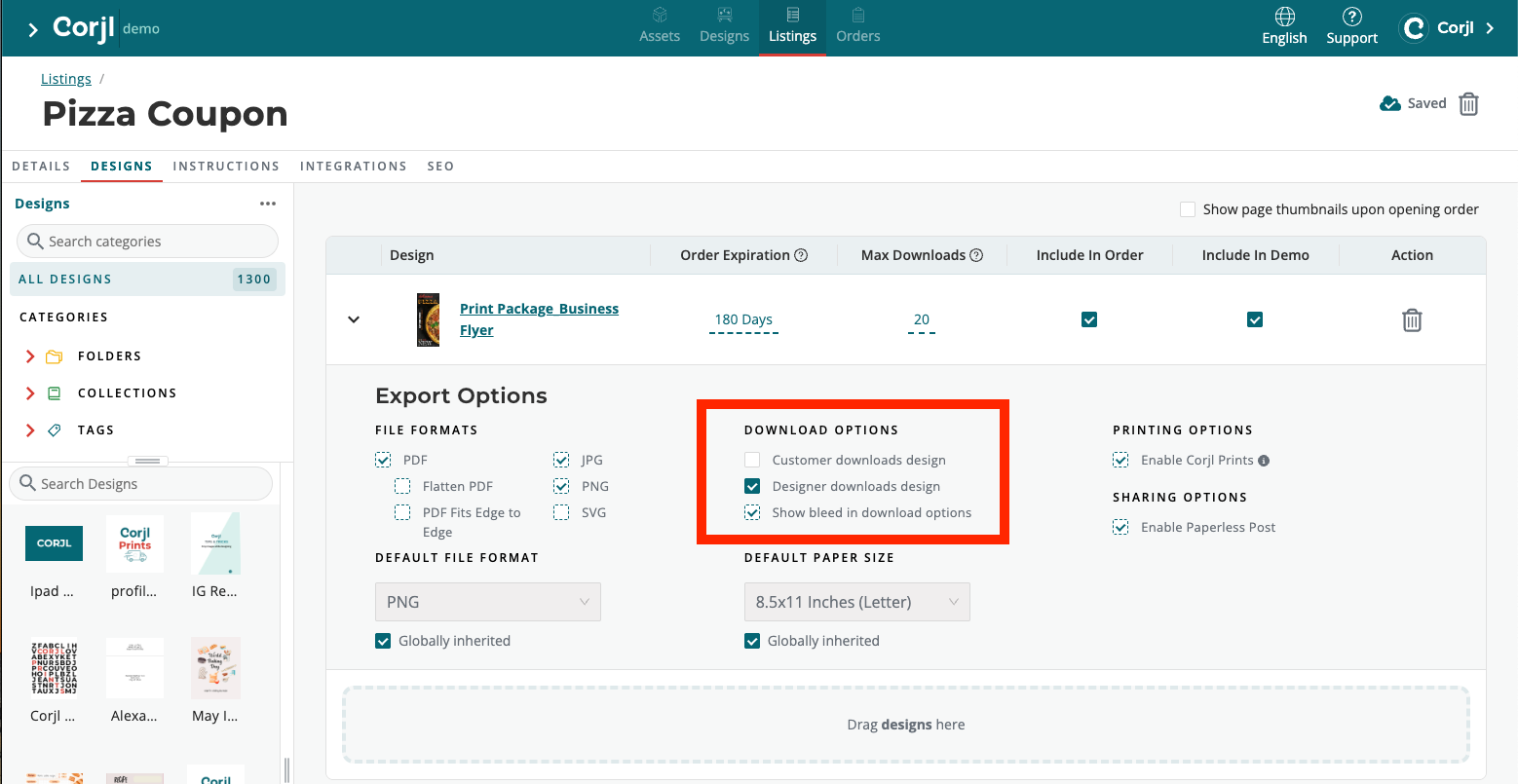
Turn On Approve Proof
- In the Export Options for each design in the Corjl listing, select the Designer Downloads Design option. This will ensure the Approve Proof button appears for orders you are printing for your customers.
Allow for Digital Download Option
If you are also offering the Digital Template option in your Etsy listing, follow these additional steps below:
- Go to the Variations tab.
- In the Variation Groups section next to your design, keep the ALL OPTIONS selected in the drop-down box.
- Drag and drop the variation option you named for the digital download into the highlighted area labeled Customer Downloads Design:
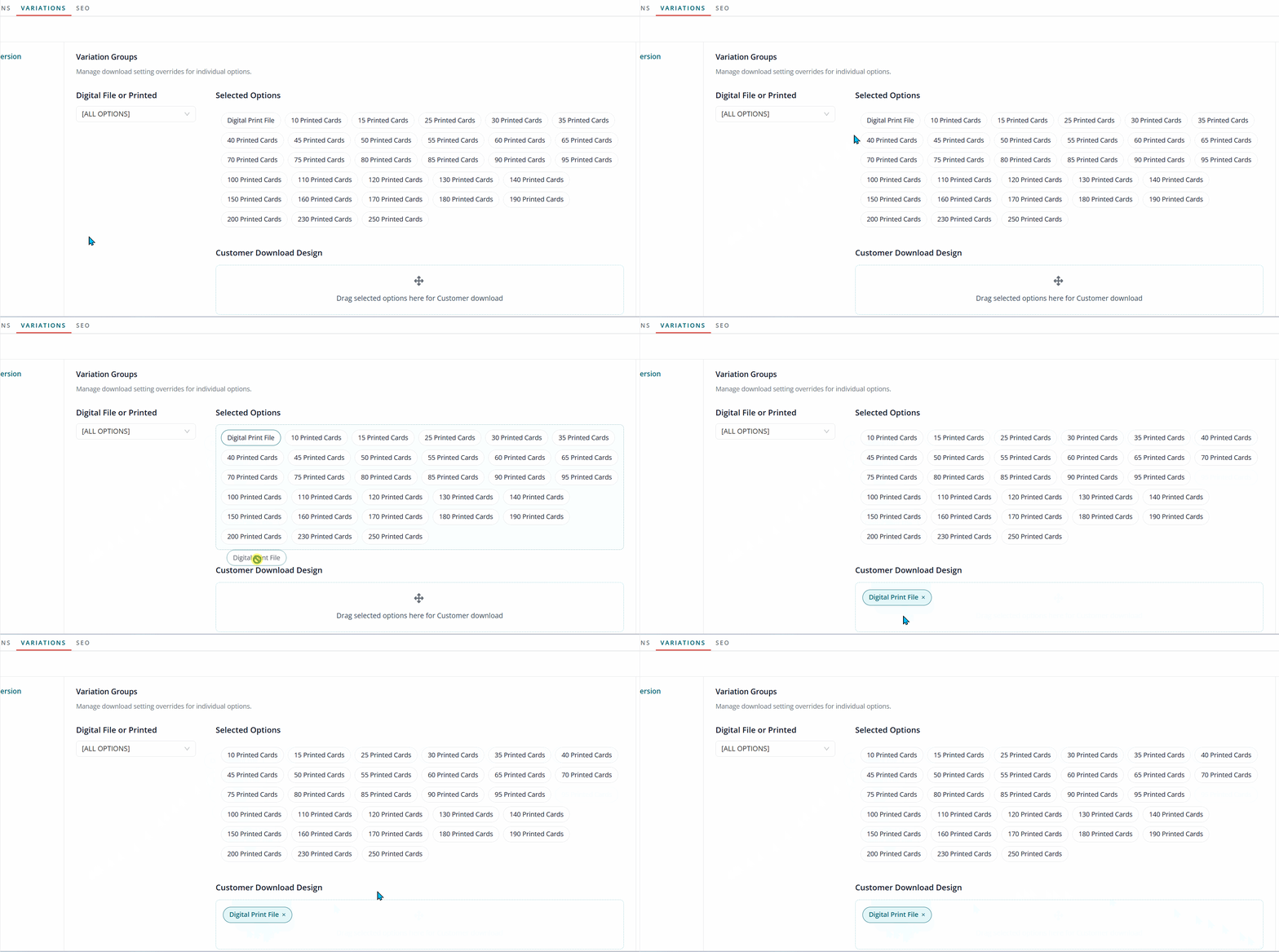
Important: The variation selected under Customer Downloads Design overrides the Designer Downloads Design setting for customers who purchase that specific option.
For example, if Digital File is placed under Customer Downloads Design:
- A customer who selects Digital File on Etsy will receive the Download option.
- A customer who selects one of your Printed options will receive the Approve Proof option instead.
Corjl uses the variation the customer selected on Etsy to determine which option they receive.